Digital
Closet
A digital experience to elevate outfit planning

Project Overview

A digital closet app that makes the outfit planning experience efficient, fast and effortless.

My Role:  UX Designer + UX Researcher

Key Principles: User-Centered Design, User Control, Design System, and Consistency

Process

Immerse
Conducted competitive analysis and user interviews to uncover pain points.
Frame
Formulated HME statements and created user personas to guide ideation
Ideate
Brainstormed solutions through sketching
Execute
Designed high-fidelity mockups and interactive prototype

Competitive
Analysis

Before diving into designing, I wanted to see what was already out there. I explored a few existing outfit planning apps. For example Cladwell, lets you use images from the web and suggests outfits based on the weather. It even gave you a detailed breakdown of your closet. But it felt a bit rigid—you couldn't change their outfit suggestions or create your own.


Another app, Pureple, was more flexible, letting you add details about your clothes and create your own outfits to share with others. There was even a social community for inspiration. But it was missing weather features and didn't give you much control over how your clothes were organized.


By studying these apps, I got a clear picture of what worked and what didn't. It helped me figure out which features to include in my own app.

Cladwell App

Pureple App

User Interviews

To get inside the minds of my users, I conducted in-depth interviews about their outfit planning and closet organization routines. This qualitative approach gave me direct insight to their personal struggles and triumphs. I wanted to understand their frustrations, pain points, and the challenges they faced in their daily outfit planning.


To get a diverse perspective, I interviewed 10 people aged 18 to 60. This wide age range allowed me to see how different generations tackled the closet conundrum. It was a valuable window into the world of outfit planning, helping me understand the universal challenges and unique needs of my users.

How do users currently plan outfits and organize their closets?

Key Takeaways & Insights

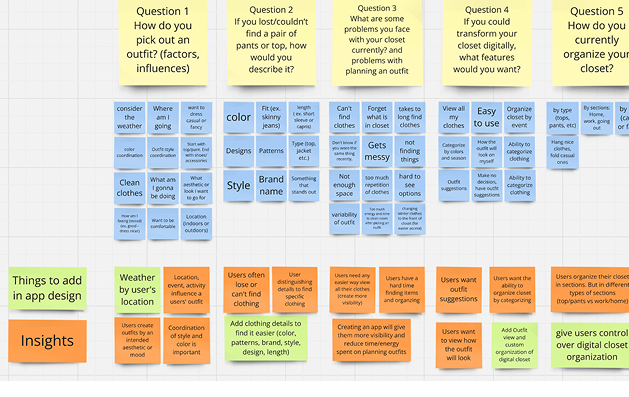
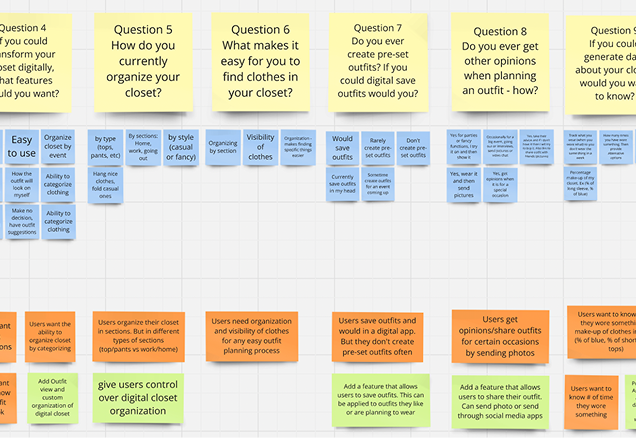
After the interviews, I dove into the data, synthesizing and organizing it on a Miro board. From there, I uncovered key themes and insights. One big pain point was the messiness of their closets. Finding things was a struggle, and they often forgot what they even owned.

From my research, I discovered that:
1. Users need visibility in their closets to easily remember their clothing items.
2. People appreciate the flexibility to organize their closets through various categorizations
3. Users want the ability to savet heir favorite outfits

4. Some users suggested that a sharing feature would be beneficial.
5. Users have an interest in data and statistics about outfit habits.

User Interviews Analysis

How might we help users easily visualize, organize, and plan their outfits so that the outfit planning process feels effortless and efficient?

User
Personas

I made research based personas to help me guide my ideation and design. The personas helped me ensure I was designing for the right targeted audience.

Lets design for Stacy and Max

Ideation - Sketching

Since the main problem was 1) visualizing clothes in a glanceable way and 2) organizing many articles of clothing, I ideated on:

-a few ways to create a digital closet where the user can view their clothes and create an outfit.

- what a saved outfit would look like

Design Choices

Below are the main visual and interaction choices that shape user experience of the app

Custom
Categories match varied mental models

I've instituted customizable categories. Users can create categories such as "tops" and "pants" that reflect how they organize their closet. The reason for this is that my research showed that each user has their own mental model for how they organize their clothes (e.g. by color, item, or season). These categories appear on the top of the screen.


Carousel design lowers cognitive load

I chose to use a carousel design for organization of the "digital closet". A carousel presents only a few items at a time, which will reduce the cognitive load on users, as it limits the number of options presented at once. Based on research, users get overwhelmed by the number of items and options in front of them. This design presents small chunks of items making it more manageable to sort through.

Everyone checks the weather first

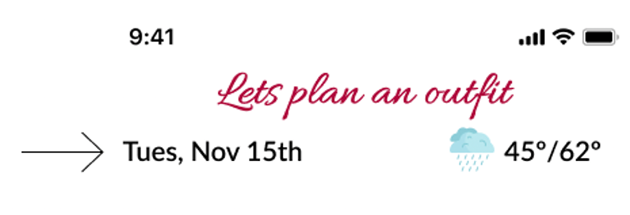
Displaying the weather is important because it is one of the first factors that users consider when planning an outfit. If they have it available and visible to them while creating an outfit, their experience will be better. I've placed it at the top of the page so it's the first thing users see.

Outfit Builder that imitates the real world

I also created an outfit builder on the bottom half of the screen. This allows the user to visualize the outfit as they are creating it. This imitates the real outfit planning experience, where you would physically see the outfit you are putting together.

Extra details help to remember and find clothes

When a user adds an item they can create a new category or add it to an existing category. This is how an item gets placed into a category.


Based on the research, some users remember details about clothing items which helps them find it or even recognize it. For example, the brand or color. Therefore, adding this information will help the user find and plan outfits moreefficiently.


Final Design

Here is a video of the prototype of the final design