

My research revolved around answering 2 main questions:
1. How do users engage with Spotify's current playlist features?
2. How do users diversify and adapt playlists to their preferences?
I used surveys as the method of research because I wanted to reach the most amount of users. The target user audience age range (17-26) overlapped with Instagram's users, making Instagram the ideal platform to deliver my survey. Because Instagram posts and stories hold people's attention for a brief amount of time, I chose a quick survey method on Instagram to engage with target users.

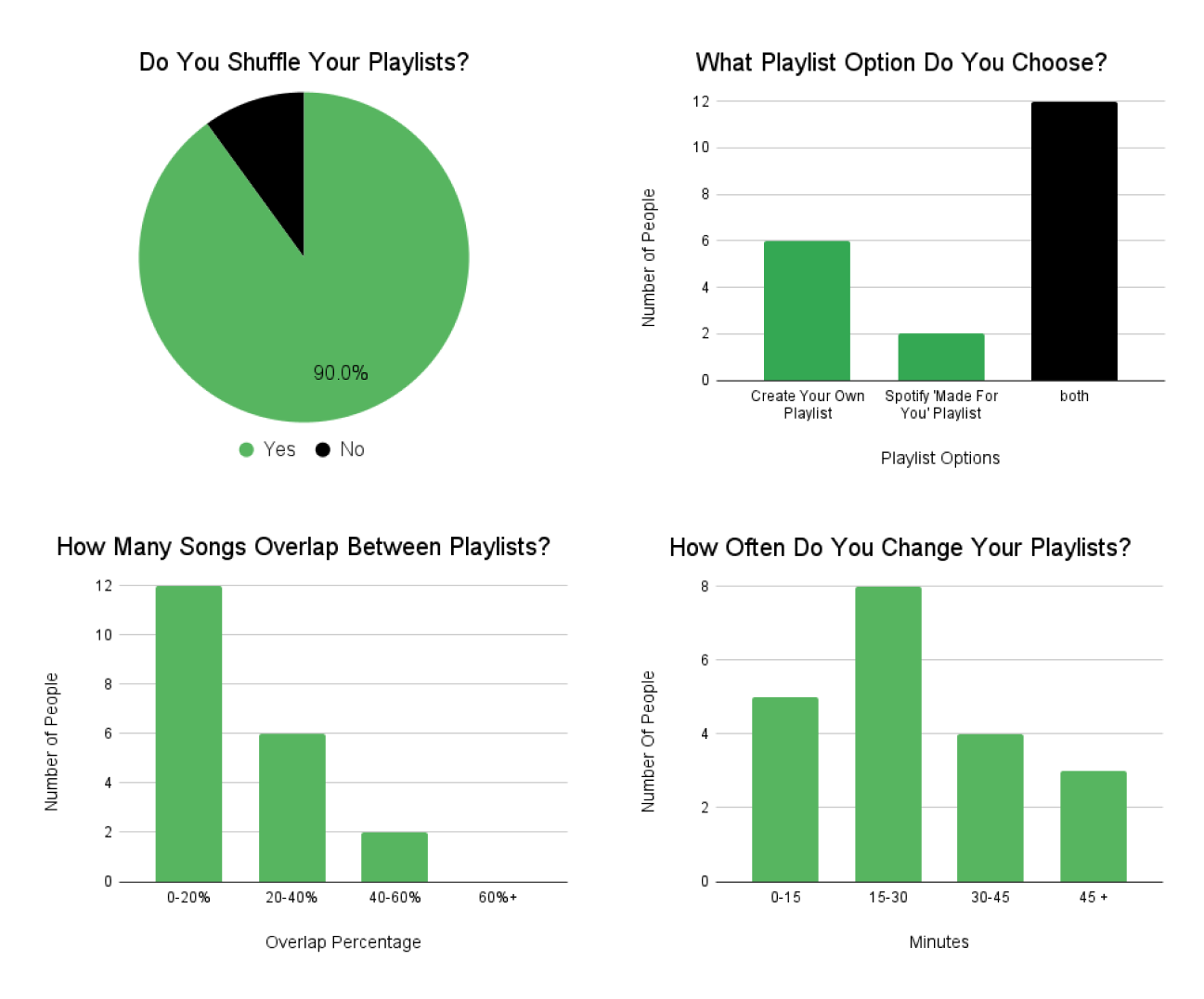
My research confirmed the user need for a feature that combines playlists. The data shows that users frequently change their playlists, which can become distracting. 90% of the participants shuffle their playlists, so designing a sophisticated shuffle feature would benefit this large group of users.


.png)
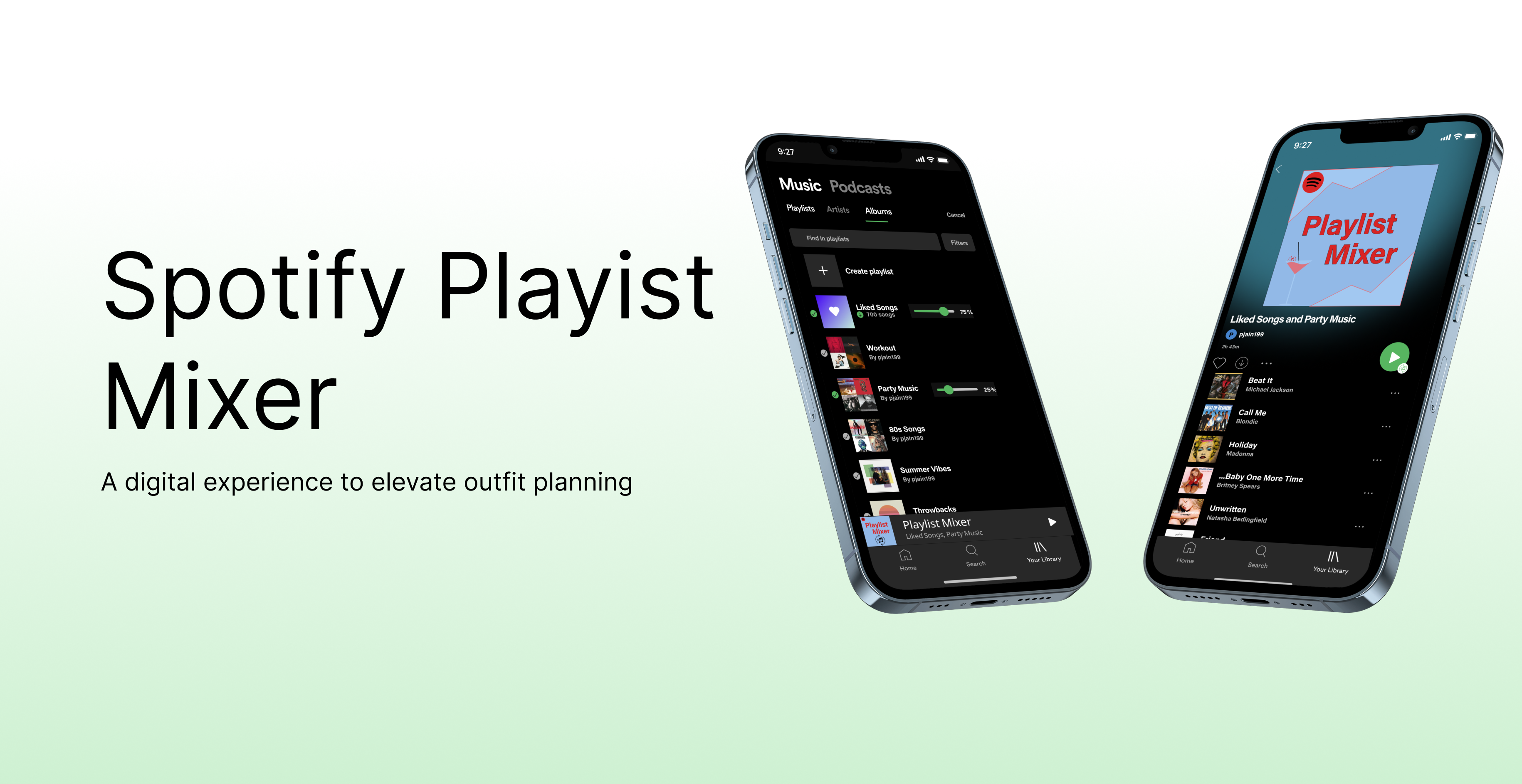
When the user is ready to select the playlists they want to add to their Playlist Mixer, they would press "select" on the top right hand corner. Then, they are prompted with slider bars. The slider bars are visual and interactive to allow users to visualize and manipulate their desired playlist balance. This feature allows users to control and mold their music to their "in the moment" preferences.
After conducting usability testing with 8 Spotify users, I found two usability issues that I fixed. One issue was that the 'select' button was hard for users to locate. Therefore, I made the button larger and changed the color to increase contrast.
The second problem was that when users selected a playlist, they tried to click on the title, album, or blank space. Therefore, I made it was all clickable to create a user-friendly experience.

